As an Amazon Associate, we earn from qualifying purchases. Some links on this site are affiliate links at no extra cost to you. Our recommendations are based on thorough research and editorial judgment.

Cellular Camera Security Basics: Accounts, Permissions, and Privacy

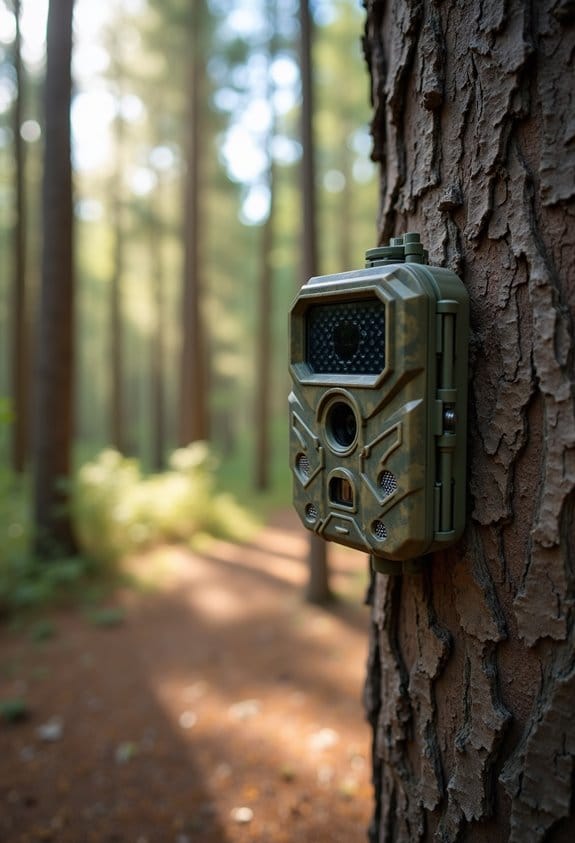
Understanding cellular camera security is key to protecting your information. To start, we should create strong, unique passwords for each account. Enabling Two-Factor Authentication (2FA) adds an extra layer of security. Managing who has access is also important; only share it with trusted people. Regularly check privacy settings and understand how our data is handled. Finally, monitoring activity logs helps us catch any unauthorized access early. There’s much more to learn about keeping your camera secure.
Key Takeaways
- Use unique, strong passwords for each account and enable Two-Factor Authentication (2FA) for added security on your cellular cameras.
- Regularly review and adjust user permissions, providing tailored access levels based on trust, and revoke access when necessary.
- Regularly check and update privacy settings, focusing on location tracking and data sharing permissions to enhance user privacy.
- Ensure video feeds are encrypted and consider secure storage options, like SD cards or reputable cloud services, for storing footage.
- Monitor activity logs for unauthorized access attempts and utilize alerts responsibly to maintain privacy and security of your cellular camera.
Understanding the Importance of Secure Accounts and Strong Passwords for Cellular Cameras
You may be interested

Hey there! When it comes to keeping your cellular camera secure, the spotlight really shines on having secure accounts and strong passwords. You might not realize it, but using a strong password can dramatically lower the chances of someone getting unauthorized access to your camera. So, let’s chat about a few straightforward steps you can take to boost your security.
First off, make sure you’re using unique passwords for each of your accounts. It’s super tempting to recycle the same password everywhere for ease, but that can really backfire if one account gets compromised. For instance, if your email password is the same as your camera’s, a hacker gaining access to your email could easily get into your camera as well.
Another important tip is to enable Two-Factor Authentication, or 2FA, if it’s available. This means that even if someone gets hold of your password, they’ll need a second way to verify it’s really you, like a code sent to your phone. It adds an extra layer of protection that can be a real lifesaver.
Don’t forget to change your passwords regularly, especially if you hear about any security breaches that could affect you. And speaking of keeping things updated, always make sure your camera’s firmware and apps are running the latest versions. This helps guard against the latest cyber threats.
Additionally, understanding and managing your camera’s connectivity options is crucial because many cellular cameras rely on 4G LTE networks, which require secure data transmission to prevent interception.
Establishing Camera Access for Family and Trusted Friends
Hey there! So, let’s chat about how to set up camera access for your family and trusted friends. It’s super important to make sure that everyone has a unique login. This way, you know exactly who’s accessing your camera system and what permissions they have. For example, if your sibling just needs to check in on the kids from time to time, you can give them viewing-only access, while your partner might need full control.
It’s all about trust—only share your camera access with people you’re comfortable with. Don’t forget to emphasize the importance of strong passwords to them, too! Think of it this way: if a friend leaves their door unlocked, it’s just a matter of time before someone strolls in. Regularly reviewing who has access is also a smart move. Maybe every few months, check in and see if everyone still needs that access.
And here’s a tip: enable two-factor authentication! It adds an extra layer of security, so even if someone gets ahold of a password, they still can’t access the feed without that second verification. By keeping your camera system secured while sharing access wisely, you can feel more at ease knowing your home is being looked after.
Additionally, using cameras that support user-friendly apps allows you to easily manage permissions and monitor activity in real-time.
Now, once you’ve got your camera access set up, we can explore how to adjust your camera settings for the best performance.
How to Manage Privacy Settings for Your Data Protection?
Hey there! Have you thought about how often you check your privacy settings? Managing those settings is super important for keeping your data safe. Here’s a friendly guide to help you out.
First off, it’s a good idea to regularly review the privacy settings on your cellphone camera. Most manufacturers have apps that let you do this easily. By checking in periodically, you make sure only the people you trust can access your footage. For instance, if you notice an unfamiliar device connected, you might want to put that access on hold until you investigate further.
Next, be careful with location tracking and data sharing permissions. Ask yourself if you really need those features turned on all the time. If not, tighten things up. For example, if a certain app doesn’t need to know where you are, take away its location access.
Also, take a moment to read your camera’s privacy policy. It’s not as boring as it sounds! This policy gives you insight into how the company might use or share your footage. Knowing this can help you make informed choices about what you share.
And hey, don’t forget about two-factor authentication (2FA)! It’s like adding an extra lock on your door. This extra layer of security makes it a lot tougher for someone to get unauthorized access to your camera. Just imagine having to confirm your identity through a text message every time someone tries to log in.
Lastly, change your camera’s password regularly. Opt for a password that’s unique and a bit complex—avoid the default ones, as they’re a common target for hackers. A simple strategy here is to use a mix of letters, numbers, and symbols.
Also, keep in mind that many cellular trail cameras require an activation fee and a monthly subscription plan, so be sure to factor these into your device’s ongoing management and privacy considerations.
Turning On Security Features and Encryption for Optimal Safety
Hey there! If you’re looking to keep your cellular camera’s data safe, turning on security features and encryption is super important. I know it might seem a bit daunting at first, but it’s easier than it sounds. Let’s break down how to do it step-by-step.
First off, you’ll want to enable encryption. This is like putting a lock on your video feeds and stored data, making sure only you can access them. Think of it as a safe deposit box for your digital content! It’s a simple toggle you can find in the camera’s settings.
Next, always check the login page**. A quick look at the URL will tell you if it starts with “https” – that’s your signal that the connection is secure**. If it doesn’t, it’s best to steer clear of entering any sensitive info.
Also, consider using your camera’s firewall options. Many manufacturers include built-in security features that can provide an extra layer of protection. For instance, if your camera has a setting to limit access to specific devices, be sure to enable that.
Don’t forget about two-factor authentication (2FA); if it’s available, make sure to activate it. This adds an extra step when logging in, like getting a text with a code you need to enter. It’s an easy way to boost your camera’s security.
Lastly, make it a habit to update regularly. Just like your phone and computer, your camera needs updates too. Check the manufacturer’s website for the latest software updates to patch any security holes.
Additionally, choosing a plan with built-in SIM cards can help maintain a consistent and secure data connection, reducing vulnerabilities caused by network changes.
These steps will keep your data safe and sound! Now that you have your security features locked down, let’s talk about how to make the most of your camera’s settings for even better performance.
Understanding Data Handling Practices With Cellular Cameras
So, let’s talk about cellular cameras and how they handle your data. It’s super important to know how these devices protect your personal information. For starters, to get the most out of your camera, you’ll need a user account. This allows you to customize your settings and easily manage your footage, whether it’s for a wildlife study or a home security project.
Now, one of the first things you should do is set up a strong password. Think of it as a lock for your account – the tougher it is, the harder it is for someone to get in. For example, instead of using your pet’s name, try mixing in numbers or special characters to create something unique.
Your video recordings can be stored in a couple of ways. Some cameras save the footage directly onto an SD card, while others upload it to the cloud. If you’re concerned about storage space, going for a camera with cloud capabilities can give you extra peace of mind, knowing your data is backed up.
It’s also wise to pay attention to each manufacturer’s privacy policy. This document spells out how long they keep your recordings – a crucial detail if you’re worried about data retention. Lastly, don’t forget about permissions. They let you decide who can view or manage your camera, so you can share access with trusted friends or family without worry. Many cellular trail cameras also offer real-time remote monitoring through mobile apps, which enhances convenience but requires secure account management.
Monitoring Activity and Adjusting Permissions Regularly
Hey there! So, if you want to keep your cellular camera secure, regular monitoring of activity and adjusting permissions are super important steps. Think of it like keeping an eye on a valuable possession in your home—just like a security surveillance system, your camera needs attention too.
First off, take a peek at the activity logs. This is really just a record of who’s been accessing your camera. If you notice any unauthorized attempts or anything that looks a bit out of the ordinary, that’s a red flag! For instance, if you see logins from locations you’ve never been to, it could mean someone’s trying to breach your security.
Next, don’t forget about adjusting permissions. You only want trusted individuals to have access to your camera feeds, right? It’s a good idea to review who has permission regularly—maybe set a reminder to do this every couple of months. You can also limit notifications to ensure you get alerts for important events without your phone blowing up all day. This way, if a motion alert pops up, you’ll know it’s worth checking out without being overwhelmed.
Oh, and while we’re at it, enabling two-factor authentication (2FA) is a smart move. It’s like adding a secret handshake to your camera; even if someone gets your password, they’d still need that extra verification step to get in.
Finally, make it a habit to regularly reset or revoke permissions, especially when someone leaves your team or after any changes in who needs access. Keeping your camera secure is an ongoing process, but with a bit of routine checking, you’ll be that much safer.
Speaking of safety, let’s chat about the types of alerts you can set up to stay informed while keeping distractions at bay. Be sure to take advantage of the motion detection and alerts features, which provide instant notifications on your phone for quick response.
Tips for Maintaining Privacy With Cellular Cameras
Hey there! Let’s chat about how to maintain privacy with your cellular camera. With cameras becoming a part of everyday life, it’s super important to make sure you’re protecting your personal space.
First off, take a moment to read the privacy policy of your camera manufacturer. It may sound boring, but it’s actually crucial because it tells you what they do with your data. If they’re unclear about keeping your information safe, it might be a red flag.
When it comes to choosing how and where to store your footage, consider going for cameras that allow local storage. For example, you could use a microSD card to save your recordings right on the camera. This way, you keep control of your videos instead of relying on cloud services, which can pose more risks to your privacy.
Another easy step is using strong passwords. Many folks keep the default password, but that’s pretty risky. Aim for a unique and complex password, maybe something with a mix of letters, numbers, and symbols. This simple change can really help keep prying eyes away.
Don’t forget to regularly check and adjust your privacy settings! You might want to turn off features like motion detection if it feels a bit invasive in your space. And here’s a friendly tip: if you’re putting these cameras up in shared spaces, be transparent. Let people know where they are and what they’re recording. Not only is it good practice, but it may also be a legal requirement.
Also, be aware of the data plan pricing as some cellular cameras require ongoing subscriptions that could affect your privacy and usage.
Frequently Asked Questions About Cellular Camera Security
Hey there! Let’s chat about keeping your privacy safe when using cellular cameras. It’s super important to think about security since these cameras can capture a lot of personal moments.
So, how do you actually secure your camera? First off, start with a strong password—something that mixes letters, numbers, and special characters. And don’t use simple usernames; make them unique! To add an extra layer of security, turn on two-factor authentication. For example, you could get a text with a code every time you log in from a new device. It’s an extra step, but it really helps keep unwanted visitors out!
Now, let’s talk about permissions. It’s best to limit who can access your video feed. Only give login access to people you absolutely trust, like family members or close friends, and regularly check who has permission. You’d be surprised how easy it is for an unknown person to gain access if you’re not careful.
Why bother with privacy settings? Well, they let you control how your data is shared. It’s a good idea to revisit those settings in the app regularly. For instance, you might discover that you’ve allowed an app to share your videos publicly without realizing it. Keeping tabs on these settings helps you maintain control.
Speaking of staying in control, how often should you update your software? Regular updates are crucial. They patch up security gaps that hackers could exploit. Think of it like putting new locks on your doors; it keeps your home safer. So, stay vigilant and update your software whenever you see an alert.
Many cellular cameras also feature dual-network functionality, which improves signal coverage but requires careful management to maintain security.
With these tips in mind, you’re on your way to using your cellular camera safely! If you have more questions, I’m here to help!
Frequently Asked Questions
Is It Better to Deny Camera Permission?
Yes, denying camera permission enhances our camera security and addresses privacy concerns. By limiting app permissions, we reduce unauthorized access and security risks, promoting user awareness about protecting our personal information effectively.
Can Someone See Me Through My Phone Camera?
Our phones are like windows to our lives, and yes, someone can potentially see us through the camera if we’re not vigilant. Let’s prioritize phone security, monitor app permissions, and stay aware of privacy concerns for tech safety.
What Are the Downsides of Cellular Cameras?
Cellular cameras can have downsides like privacy concerns, limited video quality, and unpredictable battery life. We also face higher data usage, potentially complex installation, and reliance on cloud storage for our footage.
Is It Legal for My Neighbor to Record Me With Their Ring Camera?
Yes, it’s generally legal for our neighbor to record us with their Ring camera, but we should consider privacy laws, recording boundaries, and surveillance ethics. Neighbor consent might be necessary, especially regarding audio.