As an Amazon Associate, we earn from qualifying purchases. Some links on this site are affiliate links at no extra cost to you. Our recommendations are based on thorough research and editorial judgment.


Cellular Camera Data Use: What Actually Consumes MB/GB

When it comes to cellular camera data use, several factors play a role. Here’s what you need to know:
- Resolution: Higher resolutions, like 4K, use more data than lower ones, like 720p.
- Frame Rate: A lower frame rate means reduced data consumption.
- Recording Method: Continuous recording eats up data, while motion detection saves it.
You may be interested



Understanding these can help you manage data effectively, and there’s more to discover about optimizing your camera’s performance.
Key Takeaways
- Video resolution and frame rate significantly affect data consumption, with 1080p at 30 FPS using about 4 MB per minute.
- Continuous recording can use between 45 to 90 GB monthly, while motion detection reduces this to around 50 GB.
- Adding multiple cameras drastically increases data usage, possibly 30% to 100% more compared to a single HD camera.
- Video compression techniques like H.265 can reduce data usage significantly, compressing files up to 50% better than older methods.
- Regularly monitoring usage, adjusting resolution, and utilizing motion detection can help manage data consumption effectively.
What Factors Really Drive Data Use in Cellular Cameras?
Hey! If you’re trying to wrap your head around data use in cellular cameras, you’re in for an interesting ride. Understanding what drives data consumption is crucial if you want to keep your monthly bills in check while still capturing those perfect shots.
First off, let’s talk about video resolution. If you’re shooting in high-definition, like 1080p, just know it’s going to soak up your data pretty fast. For instance, a 1080p camera recording at 30 frames per second (FPS) can munch through about 4 MB every minute. If your camera lets you adjust the FPS, dropping down to something like 15 can significantly reduce your data needs!
Another factor to consider is motion detection. With motion detection on, your camera only records when something’s actually happening. This can make a big difference: instead of racking up 90 GB in a month with constant recording, you might find you only use around 50 GB! It’s like having a smart watch that only nudges you when you’re about to sit for too long—efficient, right?
Finally, think about how you use your camera. If you’re often live-viewing the feed, adjusting bitrate settings, or using cloud uploads, those actions can add up to your data use. Plus, be mindful of the signal strength; a weak connection may cause your camera to resend data, leading to even more consumption.
Many cameras also offer unlimited data plans to help manage predictable costs while maintaining frequent usage.
The bottom line is that if you’re smarter about your settings and usage patterns, you can really stretch your data without sacrificing the quality of your footage. Speaking of quality, what about finding the best settings for your specific needs? Let’s explore that next!
How Camera Resolution Affects Your Data Costs
Hey there! Let’s chat about how camera resolution can really impact your data costs. It’s pretty fascinating how the resolution of your camera—like whether it’s 4K, 1080p, or 720p—can affect how much data you chew through. If you’re streaming in 4K, you’re looking at around 16 Mbps. That can add up quickly, especially if you’re streaming non-stop!
If you’re more budget-conscious, streaming in 1080p only requires about 4 Mbps, which is a bit more manageable. And guess what? If you want to save even more, 720p is just 2 Mbps! For example, if you have a 1080p camera running continuously, you might rack up around 300 GB of data in just one month.
Now, here’s where it gets interesting: video compression can help. Techniques like H.265 can keep your video quality high but significantly reduce your data usage. So, you can still enjoy great visuals without the hefty bill. Keep your eye on the resolution and how you compress your videos to avoid any surprise charges!
Choosing cameras with advanced motion detection can help reduce the amount of unnecessary data transmitted by limiting recordings only to relevant events.
Ready to learn more about how you can manage your data effectively? Let’s explore some practical tips next!
Recommended Products

12 mega pixel 4k hd resolution

INCLUDES Sixteen Tactacam Reveal Ultra Cellular Trail Cameras, and Sixteen 32GB Lexar SD Cards by Trail Cams Galore, a Trademarked Brand. The Tactacam Reveal Ultra is highly adaptable. It can be paired with optional accessories such as solar panels for extended battery life, and it is designed to work on multiple cellular networks, giving you flexibility in choosing your cellular provider.

WHY IPAD PRO — iPad Pro is the ultimate iPad experience in an impossibly thin and light design. Featuring the breakthrough Ultra Retina XDR display, outrageous performance from the M4 chip, superfast wireless connectivity,* and compatibility with Apple Pencil Pro.* Plus powerful productivity features in iPadOS.
The Role of Frame Rate in Data Consumption

Hey there! Let’s chat about frame rate and how it affects our data consumption when using cameras. Frame rates, or frames per second (FPS), tell us how many pictures the camera snaps every second. For example, if you set your camera to 30 FPS, it uses about 4 Mbps of data. But if you dial it down to 15 FPS, you can cut that usage to around 2 Mbps!
Now, higher frame rates do mean smoother video, which is great when you’re capturing lots of action. But that smoothness comes at a cost—more data use, especially if you’re recording constantly. If your camera is mainly sitting still and not capturing much movement, you might want to lower the FPS. For instance, during times when nothing is happening, setting your camera to 10 FPS can really save on data while still keeping enough clarity to notice important events. Additionally, pairing your camera’s frame rate settings with efficient data plans can help manage overall cellular data consumption effectively.
Recommended Products

What's in the bundle: 4*Reolink TrackMix LTE; 4*Reolink Solar Panel 2; 4*SIM Card; 4*128GB microSD Card
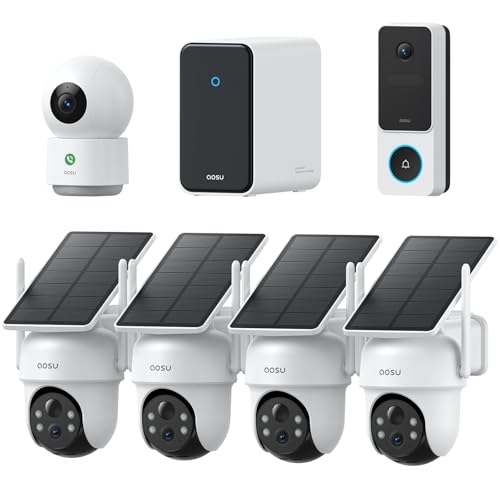
Complete Coverage for Every Part of Home — Includes four 3K solar-powered outdoor cameras with full-color night vision, a true head-to-toe video doorbell for front-door visibility, and a 2K indoor camera with One-Touch Call to stay connected with family inside the home.

What's in the bundle: 4*Reolink Go PT Plus; 4*Reolink Solar Panel; 4*SIM Card; 4*128GB microSD Card
Continuous Recording vs. Motion Detection: Which Uses More Data?
When you’re deciding between continuous recording and motion detection for your video cameras, the choice really impacts how much data you use. Let’s break it down! Continuous recording can be quite a data hog, racking up between 45 to 90 GB every month. That averages out to around 1.5 to 3 GB a day, especially if you’re using a standard 1080p camera running at about 4 Mbps.
On the flip side, motion detection is like having a smart assistant that only records when there’s activity. This approach can cut your data usage significantly, down to as little as 50 GB a month! By only capturing footage when something’s happening, you save space and ensure you don’t miss any key moments. Additionally, cellular trail cameras with Auto Connect technology enhance efficiency by automatically maintaining strong connectivity without user intervention, helping optimize data use.
Recommended Products

Includes: Rack mounting brackets, Temperature/humidity sensor, USB cable


NIKON USA AUTHORIZED - Includes Full NIKON USA WARRANTY
Bandwidth Needs: How Much Do Cellular Cameras Require?
When it comes to bandwidth needs for cellular cameras, let’s face it—understanding what that really means can feel a bit overwhelming. Think of bandwidth as the size of the highway your video data travels on; the wider the highway, the more cars (or data) can move efficiently. For cellular cameras, you’re looking at an average data usage of about 1-2 MB per minute when you’re viewing things live.
If you plan to keep your camera running continuously, you could rack up between 45 to 90 GB each month! Just imagine it; a 4G security camera that operates for 12 hours a day could use anywhere from 22 to 45 GB of data, and that’s really dependent on the camera’s resolution. Higher resolutions matter too—cameras streaming at 1080p or above can demand up to 16 Mbps. That’s like needing a bigger highway just to accommodate all that video traffic!
Also, keep in mind that things like frame rates and how often your camera detects motion can change your data usage as well. For instance, if your camera is recording action-packed scenes frequently, it’s going to use more data than if it only records when something moves. So, planning is crucial if you want to avoid going over your internet service provider’s data caps. This way, you won’t get hit with surprise fees at the end of the month! Let’s explore more on how to manage those settings effectively for the best results. Many cellular trail cameras feature real-time photo and video access through mobile apps, which contributes to ongoing data consumption when monitoring remotely.
The Impact of Multiple Cameras on Data Usage
Hey there! So, let’s chat about how adding multiple cameras to your security setup can really ramp up your data usage. When you start incorporating more cellular cameras, you might notice that your monthly data consumption takes a noticeable leap. For example, if you install just two 1080p cameras, you could end up using anywhere from 300 to 600 GB each month!
Now, it’s important to think about your recording settings, too. If you choose to record continuously, you’ll find that those settings can devour up to three times more data than if you switch to motion detection mode. So, being mindful of how you set your cameras can make a big difference in your overall data usage.
Each additional camera adds a significant chunk on top—think about it. You could see a 30% to 100% increase in data usage, depending on how you’ve got everything configured. Just a single high-definition camera might use between 45 to 90 GB on its own, so with two, you’re easily looking at 90 to 180 GB each month!
To keep those numbers in check, you might want to consider using local storage solutions like a Network Video Recorder (NVR). This can really help reduce the burden of all that camera data. It’s a smart way to free up some bandwidth while still keeping your space secure. Looking ahead, managing your data usage can set the stage for a more efficient security system. Additionally, exploring tiered pricing structures based on your photo needs can help optimize your subscription costs and data allowances.
Video Compression Techniques to Save Data
Hey there! Ever thought about why video compression techniques matter? When we use methods like H.264 or H.265, we can dramatically cut down on data usage while still keeping our videos looking sharp. In fact, H.265 can compress video files up to 50% more than H.264, which is pretty impressive!
So, how can you save on data usage when streaming or recording videos? One solid approach is adjusting the bitrate. For instance, if you lower the bitrate from 4 Mbps to 2 Mbps, you can halve your data usage without sacrificing too much quality—perfect for those long binge-watch sessions. Another handy tip is using motion detection settings on your cameras. This way, the camera only records when it senses movement, which can really slash data consumption.
A lot of new smart cameras can even adjust their video quality based on your network conditions. This means they automatically optimize data usage for you, so you don’t have to worry about running out of data mid-movie. It’s fascinating how these little tweaks can make such a big difference! Speaking of innovations, let’s look at how streaming services are adapting their content to make our viewing experience even better.
Additionally, selecting cameras with fast trigger speeds can reduce unnecessary recordings, further conserving data by only capturing critical moments.
Storage Options for Your Security Footage: Local vs. Cloud
Hey, have you ever stopped to think about the best place to store your security footage? You really have two solid choices: local storage and cloud storage. Let’s break it down!
When we talk about local storage, we’re looking at things like SD cards, USB drives, or even Network Video Recorders (NVRs). The great thing about this option is that you can access your footage right away, without needing the internet. For instance, if your camera captures something unusual, you can quickly pop in a USB drive to check it out without any delays.
On the flip side, you have cloud storage. This option shines when you need to store a large amount of video data since it can scale up easily. Just keep in mind that this might come with monthly fees and sometimes limits on how much data you can upload at once. Imagine you’re on vacation and want to check your footage; cloud storage lets you view it from anywhere, provided you have an internet connection.
Many people find that using a mix of both local and cloud storage is the best route. This way, you get redundancy—if one method fails, you still have a backup. You won’t risk losing those crucial clips, and you can manage your footage more seamlessly.
When you’re deciding where to stash your security footage, think about your internet speed, any privacy concerns you might have, and how much you’re willing to spend. Each option has its pros and cons, and what works for you might influence how you use your data in the future. Also, remember that many cellular cameras offer dual-SIM LTE for better connectivity and data management in remote areas. Ready to explore what’s next in securing your footage?
Recommended Products

Uncompromising Multitasking Master: Powered by Intel Ultra 7 255U processor with 12 cores, 14 threads, and speeds up to 5.2 GHz, this business laptop handles web browsing, document work, video editing, and graphic design smoothly. Enjoy responsive, stable performance that never slows you down, even with heavy multitasking

POWERFUL INTEL CORE i7 PERFORMANCE: Powered by the Intel i7-1355U processor with 10 cores, 12 threads, and speeds up to 5.0GHz, this Dell laptop delivers fast, responsive performance for multitasking, office productivity, spreadsheets, web browsing, video meetings, and everyday computing. Integrated Intel UHD Graphics ensures smooth visuals for streaming, presentations, light content creation, and photo editing while maintaining excellent power efficiency for extended battery life

【POWERFUL 13TH GEN INTEL CORE i7 PERFORMANCE】 Powered by the Intel Core i7-1355U Processor featuring 10 cores, 12 threads, and speeds up to 5.0GHz with Intel Turbo Boost Technology. Delivers fast, responsive performance for multitasking, office productivity, video conferencing, content creation, business applications, and everyday computing.
Tips to Optimize Data Usage on Cellular Cameras
Hey there! If you’re using cellular cameras to keep an eye on your space, optimizing data usage is super important. Not only does it help you stay organized, but it can also save you some cash! Let’s break down how you can do this easily.
First off, consider lowering the resolution of your camera. Switching from 4K to 720p can significantly drop your data usage from about 16 Mbps to around 2 Mbps. It’s a simple change that provides decent quality without hogging your data plan.
Next, think about setting your camera to motion detection recording instead of continuous recording. This adjustment can significantly reduce your monthly data usage—think cutting it down from 45-90 GB to around 50 GB! You’ll still catch any action but without wasting data on those dull moments when nothing’s happening.
You can also cut data usage by lowering the frame rate. Instead of filming at 30 FPS, drop it to 15 FPS, which brings your data down from roughly 4 Mbps to just 2 Mbps. This small tweak means you still get smooth video without draining your data too quickly.
Don’t forget about video compression! By using H.265 compression, you can maintain great video quality while slashing your storage needs. If your camera allows for this, it’s definitely worth switching.
Lastly, make a point to regularly clean up your footage. Deleting old videos not only helps manage your data footprint but also keeps things organized. You’d be surprised how much storage clutter can add up over time.
Choosing a camera with batch sending capabilities can also help optimize your data use by transmitting multiple photos at once, reducing data consumption and improving efficiency.
Recommended Products

Bundle Includes: Stealth Cam 40MP Deceptor Max Cellular Trail Camera with 0.4-Second Trigger Speed (2-Pack) x 10, 32GB Memory Card (20-Pack), and 4-in-1 Card Reader

Cellular Connectivity: SPYPOINT FLEX-DARK sends full-HD photos and videos with sound directly to your phone through the free SPYPOINT app, keeping you informed remotely

Cellular Connectivity: SPYPOINT FLEX-DARK sends full-HD photos and videos with sound directly to your phone through the free SPYPOINT app, keeping you informed remotely
How to Monitor and Reduce Your Camera’s Data Consumption?
Hey there! Let’s chat about how to monitor and reduce your camera’s data consumption. Keeping an eye on how much data your camera uses can be super helpful, especially if you’re on a limited plan or want to save some bandwidth for other things.
First off, one of the easiest ways to cut down data usage is by adjusting your camera settings. Try lowering the resolution and frame rate—this change can really make a difference. For example, recording in 1080p will use significantly less data than 4K. And if you switch to motion detection instead of continuous recording, your camera will only save data when it detects movement, which can save a lot.
Have you ever thought about the live view feature? It’s handy, but it can chew through data pretty quickly. Limiting your live view time to just a few minutes can save you around 1-2 MB per minute—a small change that adds up over time.
Video compression is another smart strategy. If your camera can use H.265 rather than H.264, it will maintain good quality but with much smaller file sizes. So even if you’re recording at a decent resolution, the amount of data used can drop significantly.
Scheduling your recordings can also be a big win. Why not set your camera to record just during peak hours or trigger it for specific events? This way, you’re not recording all the mundane moments, and you especially save data for the important ones.
Lastly, keep track of your overall data usage. Regularly checking in with your internet service provider or exploring your camera app settings can provide insights. Make sure you’re aware of features like notifications and cloud backups—all of these can ramp up your data usage, sometimes without you realizing it.
Additionally, choosing a camera with a solar-powered design can help maintain longer operation times while reducing the need for frequent maintenance or battery changes.
Frequently Asked Questions
How Much Data Does a Cellular Security Camera Use?
A cellular security camera typically uses 1 to 2 MB per minute, depending on streaming quality, data compression techniques, and motion detection efficiency. Our settings and usage directly impact overall data consumption, so it varies.
What Drains Data the Most?
Did you know a 1080p camera can use about 300 GB monthly if recording continuously? Video quality, streaming frequency, and motion detection settings all greatly drain data, so we should choose wisely to manage usage effectively.
How Much Data Does a Cellular Trail Camera Use?
A cellular trail camera typically uses 22-45 GB monthly, depending on image resolution and video quality. We need to evaluate how often we access live views and alerts, as that markedly impacts overall data consumption.
How Many GB Does a Security Camera Use per Month?
On average, we can expect our security cameras to dance around 45 to 90 GB monthly, depending on camera settings impact and video resolution effects. Switching to motion detection can help waltz that data usage down.