As an Amazon Associate, we earn from qualifying purchases. Some links on this site are affiliate links at no extra cost to you. Our recommendations are based on thorough research and editorial judgment.

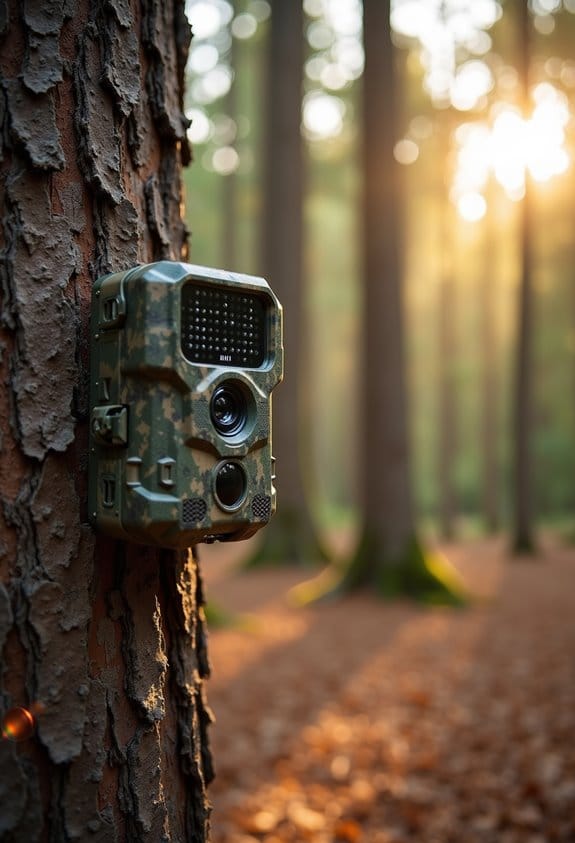
Understanding Time-Lapse Mode: When Motion Detection Isn’t Enough

When we compare time-lapse mode with motion detection, it’s clear they each serve different needs. Time-lapse captures images at set intervals, giving a broad view of slow activities. In contrast, motion detection records video only when it senses movement, which can lead to missed moments. This is particularly relevant for dashcams, where time-lapse guarantees continuous recording and better footage recovery. If you’re curious about which method fits specific situations, stick with us for more insights.
Key Takeaways
- Time-lapse mode continuously records, ensuring no crucial moments are missed compared to motion detection’s limited capture during movement.
- Motion detection can produce excessive footage, making it difficult to find important clips amidst irrelevant recordings.
- Time-lapse is ideal for documenting slow processes and natural phenomena, providing a clearer overview than motion detection allows.
- Using time-lapse reduces heat generation during long recordings, enhancing camera reliability in extreme temperatures.
- Proper settings in time-lapse mode, like lower bitrate and optimal intervals, ensure efficient use of memory and greater video clarity.
Defining Time-Lapse Mode vs. Motion Detection
You may be interested
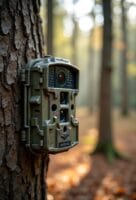

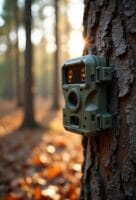
When it comes to capturing video, understanding the differences between time-lapse mode and motion detection is super important. Think of time-lapse as a way to take snapshots of an event at specific intervals, creating a quick but clear overview. For example, if you were filming a sunset, you might record continuously over an hour but only take a picture every few seconds. It gives you the full picture without missing those beautiful changes in color.
On the other hand, motion detection only kicks in when it senses movement. This means you could end up with lots of short clips, maybe only 20 seconds each, which might miss the most interesting parts—like that cute squirrel that scurried across your garden just as the camera decided to take a break.
With time-lapse, you can avoid the frustration of missing key moments because it keeps rolling. Plus, it tends to run cooler, so it’s more reliable during long events like an outdoor wedding. And when the weather changes, like a sudden drizzle, time-lapse doesn’t get bogged down by irrelevant footage that motion detection might capture, like raindrops or swaying tree branches. Understanding these differences can really help you choose the best mode for your specific situation! Additionally, many modern cameras utilize trigger speed to improve the chances of capturing fast-moving subjects during motion detection.
Advantages of Using Time-Lapse for Event Documentation

You know, using time-lapse for event documentation is a fantastic way to capture all those important moments without missing a beat. Imagine this: instead of keeping your eye glued to the camera, time-lapse lets you record everything continuously for up to 10 minutes with just a simple setting of 2 frames per second. So, whether it’s a wedding or a busy street festival, you’ll have a full picture of the event without any awkward gaps.
One of the really cool things about this method is that it doesn’t skip over important moments like some motion detection systems might. For example, if someone makes a surprise announcement at an event, traditional recording could miss that because the camera wasn’t triggered at the right time. Plus, time-lapse recording doesn’t heat up like regular recording, which means you can rely on it during those long stretches—you don’t have to worry about it quitting on you halfway through.
Another bonus is the clarity it offers. With time-lapse, you can capture detailed images like people’s faces or even license plates if needed, making it easier to identify specific events. And because it uses a low bitrate, you can ensure that those essential clips are saved without taking up too much storage or getting overwritten later on. Additionally, combining time-lapse with instant alerts functionality enhances real-time monitoring by providing immediate updates alongside continuous recording.
Challenges of Motion Detection in Dashcam Use
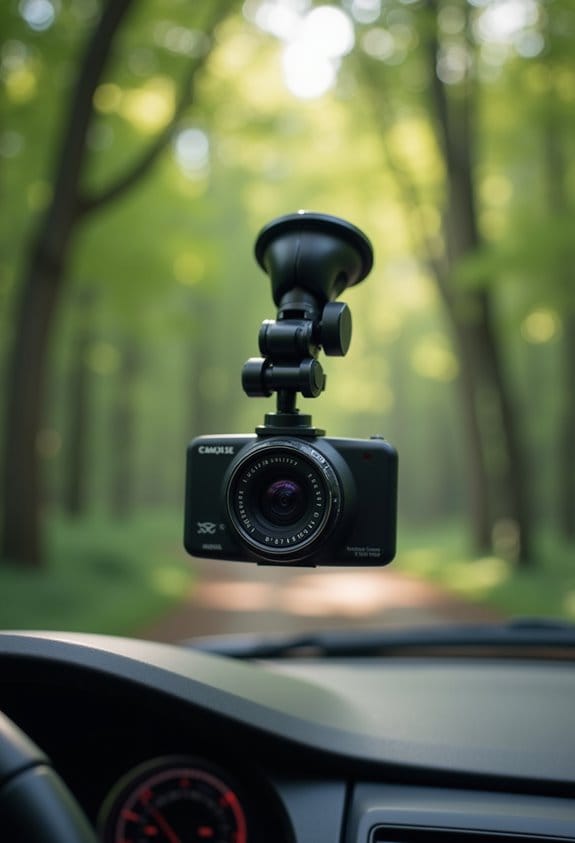
When it comes to dashcams, motion detection technology can really amp up your safety on the road, but it’s not without its challenges. One big issue we face is the excess footage—sometimes the camera captures too many irrelevant moments, like a tree swaying in the wind, which makes it hard to find critical events like an accident.
Weather can play a huge role too. Think about riding in the rain: those droplets can confuse the system and cause it to record unnecessary clips—potentially overwriting something really important. Plus, most dashcam motion recordings are set to just 20 seconds. That’s not always long enough to capture the full context of a situation, which can leave you scratching your head after an incident.
Another thing to watch out for is reliability. Some dashcams don’t activate when parked, which could mean losing crucial evidence if something occurs while you’re away from the vehicle. To help with this, consider using a time-lapse mode—it can allow for better coverage during slow periods. And don’t forget to regularly check your files to ensure nothing vital gets lost. Keeping tabs on your recordings can make all the difference; it gives you peace of mind knowing you have what you need if the unexpected happens.
Optimal Situations for Time-Lapse Capture
Have you ever thought about how fascinating time-lapse capture can be? It really shines in situations where things happen slowly over time. For instance, when you’re watching a construction site transform, a time-lapse video can showcase days’ worth of work in just a few seconds, allowing you to see the entire project come together almost instantly.
Another great example is natural phenomena like sunrises and sunsets. Time-lapse can beautifully condense the gradual shift of colors and light into a stunning visual that feels almost magical. And if you notice busy traffic patterns during your daily commute, time-lapse can reveal the ebb and flow of vehicles, helping you spot trends that you might not notice in real-time.
Plus, if you’re in a crowded area, like a bustling street during a rainstorm, time-lapse allows you to capture the action without getting lost in all the distractions. It can focus on the key details, like people hurrying for cover, while filtering out the excess noise. And using a shorter interval can help clarify important details, such as people’s faces or license plates, which might get blurred in a quick snapshot.
Additionally, pairing time-lapse capture with infrared night vision technology can enable you to document scenes in low-light conditions effectively.
Choosing Intervals for Time-Lapse Projects
Capturing stunning time-lapse videos is way more than just hitting the record button; it’s all about thoughtful planning, especially when picking out the right intervals for your shots. Think of intervals as the heartbeat of your time-lapse—they help dictate how everything flows together.
So, let’s break it down a bit. If you’re shooting something fast-moving, like clouds racing across the sky or cars zooming by, you’ll want to use shorter intervals, around 1 to 2 seconds. This creates a smooth playback that really brings the action to life. On the flip side, if your subject moves slower, like flowers opening up in the sun, aim for longer intervals of 4 to 5 seconds. This will keep everything looking visually coherent, without making it feel rushed.
Nighttime shoots can be a bit tricky, but I’ve found that a 2 to 3 second interval works great. This helps capture those beautiful light streaks while keeping motion clear and blur-free. And if you’ve got a complex scene with various elements at play, like a bustling street corner, think about the pace of the action when you choose your intervals. It’s really about finding that sweet spot where you can cover everything while keeping the story flowing.
A handy tip to remember is that your time-lapse interval should always exceed your shutter speed. This ensures that you’re getting crisp, clear shots every time. Choosing cameras with energy-efficient technology can also help prolong battery life during long time-lapse projects. Now that we have a handle on intervals, let’s explore some gear tips to help you nail that time-lapse setup!
Best Dashcam Settings for Time-Lapse
Setting up your dashcam for time-lapse recording can be a fun way to capture your journeys! To get started, I recommend setting the interval to 2 frames per second. This setting helps make sure you’re capturing important details, like faces and license plates, without making the video too choppy. For instance, if you’re on a long drive through a scenic route, those little details will stand out.
Another tip is to lower the bitrate. This might sound a bit technical, but it just means you’ll get better video retention while saving space on your memory card. And while you’re parked, consider increasing the G-sensor sensitivity. This way, your dashcam will automatically save important clips when it detects any bumps, like someone bumping into your car in the parking lot. Just remember, relying on motion detection alone can lead to short, fragmented clips, which may not be what you want.
Speaking of memory cards, think about using a large one. Extended recordings, like a drive across town or a road trip, can take up space quickly, so it’s always a good idea to check your storage regularly. Lastly, using the time-lapse mode can actually help your dashcam perform better in extreme temperatures. This mode generates less heat compared to continuous recording, which is beneficial if you’re parked in the blazing sun or freezing cold.
Additionally, some cameras offer customizable alerts that can help manage your recordings more efficiently by notifying you of relevant events without unnecessary footage.
With these settings in mind, you’re well on your way to capturing your travels in an engaging way. What’s next? Let’s chat about how to make the most of your dashcam’s storage for those amazing time-lapse recordings!
Technical Requirements for Successful Time-Lapse Videos
Creating successful time-lapse videos is all about getting the technical details just right. Think of it like orchestrating a symphony where every element, from timing to equipment, plays a crucial role. To kick things off, you’ll want to set an interval timer that’s based on how fast your subject is moving. For instance, if you’re capturing clouds speeding by, a shorter interval will work, while a slower process like a flower blooming might need longer intervals. This balance is key for achieving movement while keeping things clear.
Next up is smooth motion. It’s important to keep your exposure times around 60% to 80% of your interval. This way, you avoid dropping frames, ensuring that everything flows beautifully in your final video. Imagine you’re filming a bustling city street – ensuring that each frame captures the motion of the cars and pedestrians without any jerks is vital for that seamless look.
Then there’s the frame count. If you’re aiming for a three-minute video at 30 frames per second, you’ll need about 5,400 exposures. That sounds daunting, right? But think of it like taking a series of photos at a party: the more images you capture, the better the final result when you compile them.
Stability is also a big deal. Using a sturdy tripod and an intervalometer can help eliminate shakiness and keep your intervals consistent. No one wants to watch a shaky video when you could easily fix that with the right gear!
Lastly, remember to use manual controls for your settings. Tweaking your shutter speed and ISO can ensure consistent lighting and color—even as the sun sets or clouds drift in. Just like when you adjust the brightness on your phone to match the lighting around you, those small tweaks can make a big difference.
Additionally, for projects involving wildlife or low-light conditions, consider cameras equipped with advanced no-glow infrared LEDs to capture clear images without disturbing your subjects.
With these basics sorted, you’re well on your way to creating stunning time-lapse videos that captivate your audience. Now, let’s chat about how to edit those amazing captures into a cohesive narrative!
Tips for Effective Time-Lapse Post-Processing
You know that feeling when you’ve put in so much work into capturing stunning time-lapse footage? It’s super rewarding, but the real magic happens during post-processing! Let’s go through some simple tips that can really enhance your final video.
First off, make sure you’re using solid editing software. Programs like Adobe Premiere Pro can help you stitch those clips together into a seamless sequence. It’s like turning a puzzle into a beautiful picture! Then, take a moment to trim any excess frames. This keeps your video tight and engaging. You want to highlight the best moments, right? For example, if you’ve captured a sunrise, focus on the most stunning frames rather than every single transition.
Next, adjust your exposure settings. You want to keep the lighting and color consistent throughout your video. If your colors shift too much, it can distract viewers. You might also want to limit the number of effects you use. A little goes a long way, and you want to keep that natural flow of movement. Think of it this way: sometimes, simpler is better.
Lastly, don’t forget to back up your original footage regularly. It’s a lifesaver if you need to make adjustments later or want to experiment with new edits based on feedback. Also, using cameras equipped with high-resolution sensors and reliable connectivity can greatly improve the quality and accessibility of your time-lapse footage.
Real-World Uses of Time-Lapse vs. Motion Detection
Hey there! So, let’s chat about time-lapse and motion detection cameras. Both are super useful for capturing events, but they each have their own perks that can really make a difference depending on what you need. For instance, with time-lapse, you can film things like busy traffic patterns over a whole day and condense it into a quick video. This is fantastic because it gives you a broader view without the worry of losing important moments, which can sometimes happen with motion detection that records only short clips.
Now, let’s break it down a bit more. Time-lapse cameras offer continuous coverage of a scene, so you get so much more context. You can see how traffic builds up during rush hour rather than just clips of cars passing. Plus, the clarity is another big plus; time-lapse videos can capture important details, like faces or license plates, really well.
Another thing to think about is reliability. If you’re in a hot car, time-lapse setups tend to keep your dashcam cooler, which can prevent it from shutting down unexpectedly. And when it comes to storage, time-lapse keeps things organized on your memory card, making it easier to find the footage you want later. Additionally, the use of integrated mapping features can help enhance the tracking and understanding of captured events in time-lapse recordings.
Frequently Asked Questions
What Is a Good Time-Lapse Setting?
For great time-lapse techniques, we’ve found ideal settings include recording every 1-2 seconds for short events and 4-5 seconds for longer ones. Adjusting intervals based on motion guarantees our footage remains smooth and intriguing.
What Is the Difference Between Timelapse and Slow Motion?
Isn’t it ironic? We often confuse timelapse techniques and slow motion. While timelapse captures gradual changes over time, slow motion freezes split-second moments, giving us the thrill of detail we might otherwise overlook.
What Is the Best Timelapse Interval for Driving?
For driving scenery, we believe an ideal interval of 1-2 seconds works best during the day, while 2-3 seconds is perfect at night. This helps us capture smooth motion and vibrant light streaks effectively.
How Long Is a 30 Minute Video in Timelapse?
When we set our camera to capture one frame every second, the timelapse duration of a 30-minute event can compress down to about 1 minute of video. This highlights the power of video compression in storytelling.