As an Amazon Associate, we earn from qualifying purchases. Some links on this site are affiliate links at no extra cost to you. Our recommendations are based on thorough research and editorial judgment.

Backups in the Field: Avoiding Data Loss on SD Cards

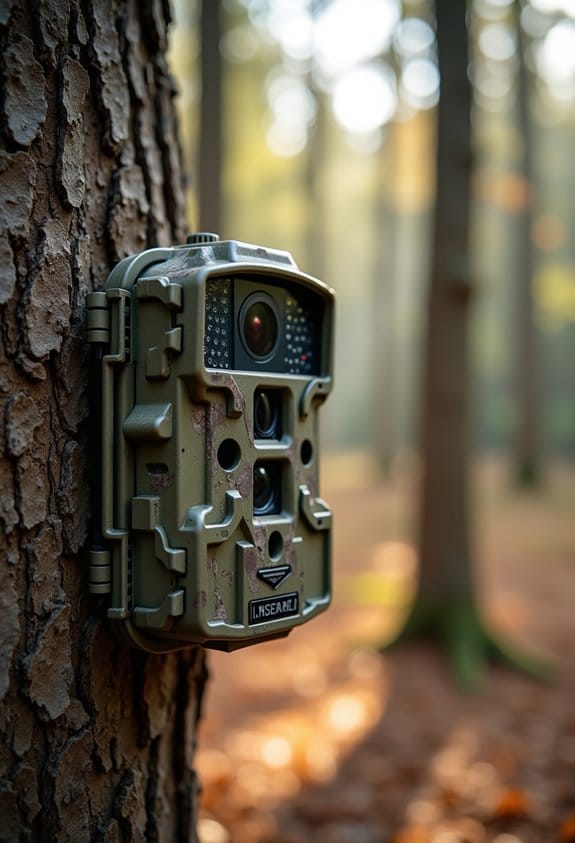
To avoid data loss on SD cards in the field, we need to take a few key steps. First, always use high-quality SD cards. Next, regularly format them in the camera to prevent corruption. Backing up important files daily, using the 3-2-1 method, helps keep our files safe. Additionally, we should handle cards carefully and avoid using them while the camera is writing. Following these practices guarantees our data remains secure, and there’s more to explore on this topic.
Key Takeaways
- Regularly back up data to external drives or cloud services to prevent loss in case of SD card failure.
- Format SD cards in your camera before initial use and keep them organized to avoid confusion.
- Implement a 3-2-1 backup strategy: three copies of data, two local, and one in the cloud.
- Ensure SD cards maintain 10-20% free space to optimize performance and reduce the risk of corruption.
- Educate team members on proper data management protocols, including safe removal and regular integrity checks on memory cards.
Common Causes of Data Loss on SD Cards

You may be interested


Hey there! So, let’s chat about data loss on SD cards. You might not realize it, but there are quite a few common culprits that can put your precious data at risk. For starters, using a counterfeit or low-quality SD card can seriously compromise data integrity. Trust me, you don’t want to skimp on quality when it comes to something so important.
Another big issue is pulling out the SD card while it’s still writing. Imagine you’re in the middle of saving your photos, and you yank it out—poof! You could corrupt those files and lose them for good. The same goes for extreme temperatures. If your SD card gets too hot—like above 50˚C—or it’s exposed to moisture, it might get damaged, making your files totally inaccessible. For example, if you left your camera in a hot car during summer, that could spell trouble for your SD card!
Also, it’s crucial that you don’t switch the card format between devices without making sure everything is compatible first. This can lead to corruption too—yikes! Regularly checking your SD card for physical damage and handling it carefully can go a long way in protecting your data. Think of it as giving your SD card some TLC to keep it in top shape. Additionally, ensuring your camera has a robust IP66 rating can help safeguard your SD card from environmental damage.
Key Preventative Measures to Safeguard Your SD Data

Hey there! If you want to keep your data safe on SD cards, there are some easy habits you can pick up that really make a difference. For starters, regularly formatting your memory cards in your camera after you’ve backed up your photos can help prevent corruption. Think of it like tidying up—a fresh format gives you a clean slate to work with!
Always remember to properly eject your SD cards. You know that “Safely Remove Hardware” option you see on your computer? Use it! This little step helps avoid any accidental damage to the card. It’s just like taking care when unplugging a charger; you want to be gentle to ensure everything works smoothly.
Choosing the right SD card is important too. Look for high-quality brands that are specifically designed for video recording. They’re usually built to withstand more wear and tear, which reduces the risk of crashes. Plus, try to keep at least 10-20% of your card’s space free. It’s a smart way to boost performance and lessen the chance of overwriting important files.
Don’t forget to protect your SD cards! Storing them in a case keeps them safe from extreme temperatures and moisture. It’s like putting your sunglasses in a case; you wouldn’t want them getting scratched or broken! And if you’re feeling really cautious, think about using cloud storage as an extra backup option. It ensures your memories stay safe and sound, even if something happens to the physical cards.
These straightforward steps can seriously improve your data protection and help preserve your cherished memories. For an added layer of security, consider managing your recordings through a cloud storage system supported by your wildlife camera’s app to enable automatic backups and easy remote access. Now that we’ve covered that, let’s talk about how to organize your digital files for even more safety!
Steps to Develop an Effective Disaster Recovery Plan for SD Cards

Creating a disaster recovery plan for your SD cards is crucial if you want to keep your data safe. Think of it as a safety net for those valuable memories and important documents stored on those tiny cards. So, where do we start?
First off, implementing regular backups is key. You can set up a routine to back up your data to external drives or even cloud services, ensuring you won’t lose anything important. Imagine you just captured the perfect sunset on your last vacation; you definitely want to protect that image from any mishaps.
Next, consider the 3-2-1 strategy. This means keeping three copies of your data: two locally (like on your computer and an external hard drive) and one version in a different location, like the cloud. This way, even if something happens to one of your backups, you still have other options for recovery.
Don’t forget to test your plan! It might sound a bit silly, but practicing data recovery can make a big difference. You could create a scenario where you “lose” a file and then go through the steps to recover it. This will ensure that everyone knows what to do in a real emergency.
Also, always handle your SD cards with care. Use the proper ejection methods when removing them from devices and keep them away from extreme temperatures or water. For example, if you’re at the beach, it’s best to store your cards in a waterproof pouch when not in use to avoid damage.
Regularly reviewing your inventory of SD cards is another smart move. Check to make sure they’re high-quality and compatible with your devices, as old or damaged cards can lead to data loss.
In addition, using a camera system with weatherproof designs can minimize risks associated with environmental damage to your data storage.
Taking these steps will not only protect your precious files but also bring you peace of mind knowing you have a solid plan in place. So, let’s move on to some tips for accessing and retrieving data quickly when you need it most.
Recommended Practices for Using SD Cards in Surveillance
Hey there! So, when it comes to using SD cards for surveillance, it’s all about understanding how they work in different settings. First things first, make sure you pick the right SD card. A good rule of thumb is to go for cards that are Class 10 or U3, as they offer the speed and reliability you need for smooth recording.
Now, one thing I always recommend is to format your SD card in the camera before you begin using it. This is super important because it helps prevent data corruption. And don’t forget to back up any important footage before formatting—just in case! Regularly checking the health of your SD card can also help. You can easily use monitoring software to keep tabs on its performance; if it starts showing signs of wear, you might want to replace it soon.
If you’re serious about getting more recording time, consider investing in higher capacity cards, like 256GB or 512GB. They can really extend how long you can capture footage without constantly swapping out cards. And a little tip: always try to keep about 10-20% of the card’s space free. This helps avoid write errors when the camera is storing new footage. By following these steps, you’ll not only keep your data safe but also ensure your surveillance system runs smoothly. For additional security, some cameras even offer cloud storage solutions to back up footage in real-time. Ready to take your setup to the next level? Let’s explore how to optimize your recording settings next!
What to Do Right After Data Loss?
Oh no, losing data can feel like a gut punch, can’t it? The first thing you should do when you realize something’s gone missing is to stop using that memory card right away. This is super important because continuing to use it might overwrite the files you’re trying to recover. And whatever you do, don’t go ahead and format the card. That can wipe out any chances you have of getting your lost files back.
So, what can you do next? A good starting point is to check out any advice specific to your memory card’s brand. Sometimes manufacturers have useful tips that can help. After that, consider looking into recovery software that fits your needs. Just be a little careful with free options; they can sometimes come bundled with malware or limited customer support.
If the data loss is serious—like photos from a once-in-a-lifetime trip—you might want to think about hiring professional recovery services. These folks specialize in recovering data from damaged cards and can often retrieve files that software can’t touch.
The key here is to act quickly and carefully. And for the future, it’s a good idea to set up regular backups so you can rest easy knowing your files are safe. Trust me, that little step can save you a lot of headache down the line! Using cameras with cloud storage options can also provide seamless backup and easy access to your files even if the card is lost or damaged.
Effective Data Recovery Solutions and Tools
If you’ve ever lost data from your SD card, you know how frustrating it can be. Luckily, there are some fantastic data recovery solutions out there to help you get back those precious files. For instance, LC Technology offers both software and professional services that people around the world find helpful for recovering their lost data.
Another tool you might want to check out is FILERECOVERY software. It’s pretty neat because it lets you run a test to see what files can be recovered before you decide to buy it. This is especially handy if you’re dealing with large files, like those high-definition videos we love to shoot.
And here’s a tip—regularly running integrity checks on your SD cards can make a huge difference. You might use something like diglloydTools IntegrityChecker to ensure everything is running smoothly. If you do run into data loss, the best advice is to stop using the card right away and seek help from recovery experts.
A practical way to protect your data in the long run is by using a 3-2-1 backup strategy. This means keeping three copies of your data, with two stored on local devices and one off-site. Trust me, it can save you a lot of headaches later on!
Also, maintaining regular battery maintenance on your cellular trail cameras helps prevent unexpected shutdowns that can lead to data corruption or loss. So, let’s chat about the importance of data backups and how you can set yours up effectively.
Routine Maintenance Tips for Long-Lasting SD Cards
Hey there! If you want to keep your SD cards in tip-top shape, there are a few easy maintenance tips you can follow. By taking care of them, you not only enhance their performance but also safeguard your precious data.
First off, think about formatting your SD cards regularly. When you format in your camera, it helps avoid pesky file system issues, just remember to back up your data first—you don’t want to lose anything important! Also, keep those contacts clean. A quick wipe with some isopropyl alcohol on a lint-free cloth can help prevent data transfer errors. It’s just like cleaning your glasses for a clearer view!
You should also store your SD cards in protective cases when you’re not using them. It’s a simple way to keep them safe from physical damage, moisture, and dust. For instance, if you toss them in a backpack, they could get scratched or damaged, but a little case can really go a long way in keeping them secure.
Another helpful tip is to check the health of your SD cards using specialized software. This way, you can catch any signs of failure early on—it’s like a little health check-up for your technology. And don’t forget about space! Try to avoid filling your SD cards to the brim. Keeping some extra space not only improves performance but also cuts down the chances of data corruption.
Additionally, ensuring your equipment has durability and weather resistance can help protect your data from environmental damage during outdoor use.
How to Prevent Future Data Loss?
Hey there! So, we all know how nerve-wracking it can be to think about losing precious data, right? While it’s impossible to eliminate the risk of data loss entirely, there are definitely some practical steps you can take to reduce that risk significantly. Let’s chat about a few easy strategies.
First off, one of the best things you can do is to format your SD card regularly in your camera. Just make sure to back up your photos to your computer first. This keeps your card functioning smoothly and prevents errors that might lead to data loss later on. It’s a simple process—just pop into your camera settings, and it’ll usually just take a minute.
Another easy tip is to always eject your SD card properly from your computer using the Safely Remove Hardware option. This little step avoids any corruption that might happen if you just pull out the card without ejecting it first. Think of it like shutting down your computer properly; it ensures everything is saved as it should be.
Using high-quality SD cards from reputable brands is also crucial. Cheap, generic cards might save you a buck, but they often come with a higher risk of crashing. For example, make sure the card you buy is compatible with your camera—it can help prevent frustration and data loss when you’re in the thick of capturing that perfect shot.
Finally, establish a backup routine. Aim to transfer your photos to SSDs at the end of each shooting day. This might sound tedious, but think of it as your insurance policy—you’ll feel so much more at ease knowing your data is safe.
Best Practices for Backing Up Data in the Field
Backing up data in the field is more than just a checkbox on your to-do list; it’s essential to safeguard your hard work. Imagine losing all your footage because of a simple SD card failure—that’s a nightmare no one wants to face! So, let’s chat about some best practices you can easily follow.
First off, always use multiple clean SD cards. For each location you shoot at, keep a separate MicroSD card handy as a backup. This way, if one card fails, you won’t put all your eggs in one basket. Think about it: if you’re capturing a beautiful sunset and your card decides to stop working, having a backup could save the day!
Another important step is to establish a solid transfer protocol. At the end of every shooting day, take some time to transfer your data from the SD cards to a hard drive or SSD. A simple card reader can make this process quick and straightforward. For instance, if you’re out in the field for several days, try transferring after each day instead of waiting until the end of the trip. This way, even if something goes wrong, you won’t lose everything you’ve shot.
Before you start using any SD card, remember to format it in your camera. This helps avoid compatibility issues, ensuring that your card runs smoothly. It’s kind of like giving your card a fresh start!
Now, let’s talk about the 3-2-1 strategy. This means you should keep three copies of your valuable data, two on-site (like an external hard drive) and one off-site, maybe in the cloud. This protects your work against theft, disasters, or simple technical failures. Just think about how you would feel knowing that even if your hard drive crashes, your data is safe in the cloud.
Lastly, don’t forget to keep an eye on your SD card’s integrity. You can use diagnostic software to regularly check for any issues. It’s like a health check-up for your cards! Catching problems early can save you a lot of headaches down the line.
For added security, consider using cameras with multi-network compatibility to ensure reliable data transmission and minimize the risk of losing images due to connectivity failures.
Frequently Asked Questions
How to Recover a SD Card Without Losing Data?
For successful SD card recovery, we must stop using the card and swiftly seek data recovery software. Utilizing proper backup strategies and file restoration methods enhances our chances during memory card scanning for precious files.
How Can You Prevent Memory Card Crashes and Data Loss?
To prevent memory card crashes and data loss, we should prioritize memory card care, guarantee card compatibility checks, maintain free space, and follow data storage tips. Recovery software options can help, but best practices are essential.
How to Set up an SD Card Without Losing Data?
To set up an SD card without losing data, we should format it properly, manage storage capacity, organize files efficiently, and leverage backup software. Following these tips, we can guarantee a smooth data transfer experience.
Are SD Cards Good for Backups?
Yes, SD cards have advantages like portability and storage capacity, but they also have limitations, such as data corruption risks. We should adopt backup strategies and follow data transfer tips for reliable results compared to other options.